



IT Change Management
Implement Changes With Minimal Impact and Risks
Get Better at Managing IT Changes
Without Missing a Step
Without Missing a Step
– Configure change types, roles, statuses, and templates to manage your change cycle easily.
– Log changes from incidents and problems and track them at every step of the cycle.
– Configure automated workflows and notifications to improve visibility and communication for IT and business stakeholders.
– Assign, measure, and analyze change metrics to continually improve your change management process.
– Log changes from incidents and problems and track them at every step of the cycle.
– Configure automated workflows and notifications to improve visibility and communication for IT and business stakeholders.
– Assign, measure, and analyze change metrics to continually improve your change management process.
Customize Change Workflow process,
Do IT Your Way
– Handle standard, emergency, and critical changes separately with unique and customizable workflows using ServiceDesk Plus.
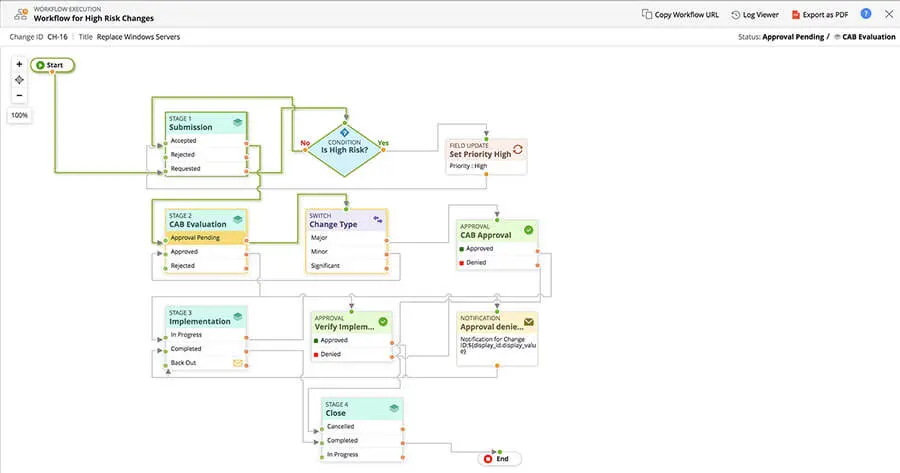
– Break down changes into eight custom stages, and assign these stages their own statuses.
– Build change workflows with actions like approvals, notifications, and field updates on a drag-and-drop-canvas.
– Associate predefined change templates to preconfigured workflows to instantly trigger a change upon submission.
– Break down changes into eight custom stages, and assign these stages their own statuses.
– Build change workflows with actions like approvals, notifications, and field updates on a drag-and-drop-canvas.
– Associate predefined change templates to preconfigured workflows to instantly trigger a change upon submission.
handle your IT changes
Make Informed Decisions on Changes,
Minimize Business Risks
– Make informed decisions to reduce unauthorized, failed, and emergency changes.
– Assess, prioritize, and schedule changes with inputs from the CAB.
– Refer to CMDB relationships to get an integrated view of the IT assets and services impacted by the change.
– Publish announcements from within the change to communicate any planned downtime to end users.
– Assess, prioritize, and schedule changes with inputs from the CAB.
– Refer to CMDB relationships to get an integrated view of the IT assets and services impacted by the change.
– Publish announcements from within the change to communicate any planned downtime to end users.
Streamline Change Planning, Approval, and Rollout. No More Unplanned Outages
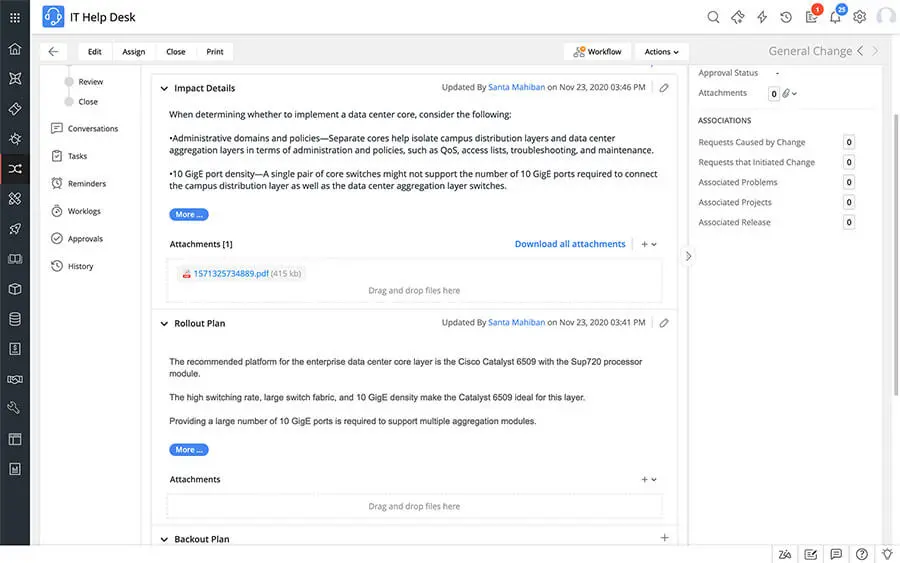
– Create impact, roll out, and backout plans plans and implementation checklists.
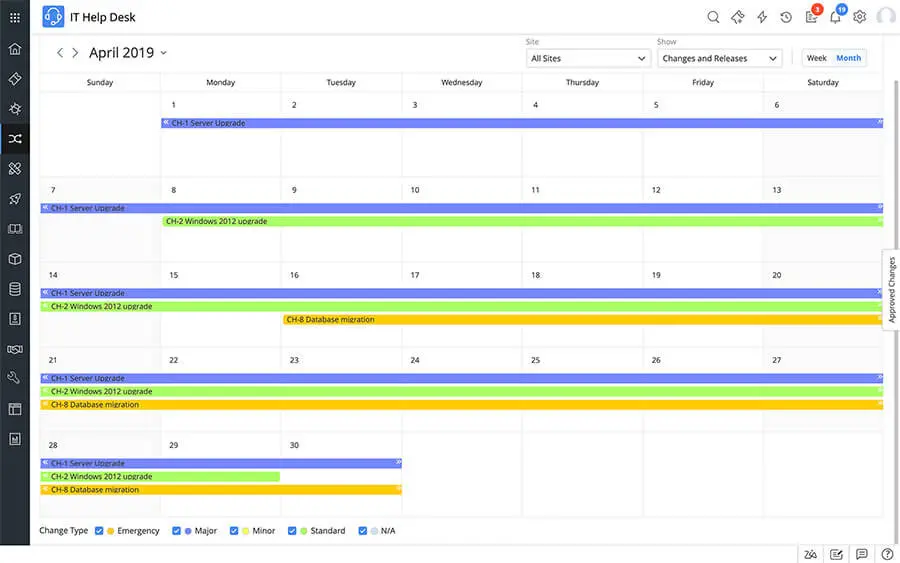
– Refer to the change management module’s schedule calendar to resolve any conflicts.
– Configure systematic workflows for every stage right from submission to closure to ensure that nothing is missing.
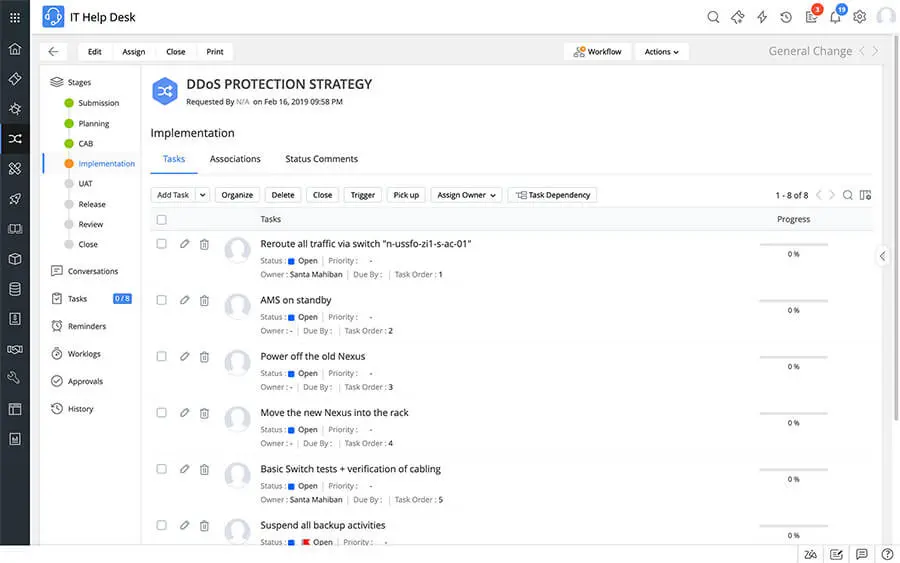
– Initiate projects from within a change or execute simple tasks to roll out the change depending on its complexity.
– Carry out a post implementation review to ensure that there are no further glitches.
– Refer to the change management module’s schedule calendar to resolve any conflicts.
– Configure systematic workflows for every stage right from submission to closure to ensure that nothing is missing.
– Initiate projects from within a change or execute simple tasks to roll out the change depending on its complexity.
– Carry out a post implementation review to ensure that there are no further glitches.
Ready to Elevate Your Global Infrastructure?
Contact Our Enterprise Engineers for a Free Consultation
Maximize your network performance, mitigate cybersecurity risks, and scale your operations with GOIP’s tailored B2B solutions. Schedule a comprehensive architecture review with our expert engineers today.